The vendor's manual, next to your docs.
Collections hold reference articles from outside sources, kept apart from client documentation and never belonging to a company. A help center read by its own structure, a website crawled by sitemap, an export brought in as a zip. Searched in one place, read in one place, and offered to the assistants you allow.
Reads as its source did.
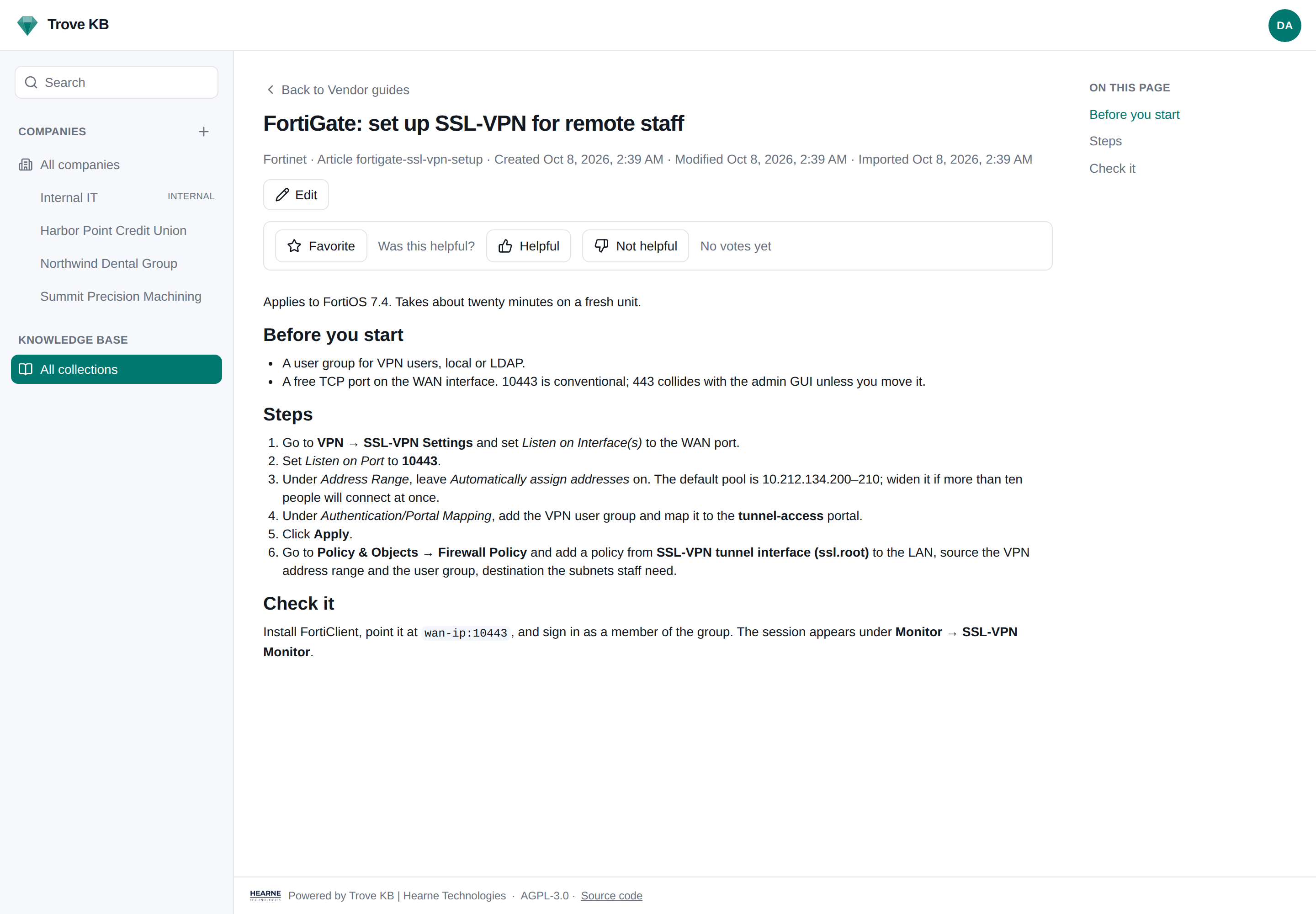
Every converter and every stored body is held to one standard: an imported article must read as the original. Numbered procedures are the hard case, and they are the case that matters to a tech on the phone.
- →Numbered steps keep their numbers and keep counting past a screenshot, a note, or a caption.
- →A source site's own menus, breadcrumbs, print and share buttons are dropped. Trove KB builds its own outline from the headings.
- →A section title the source numbers is a heading, not an empty list item.
- →Imports upsert on a stable id, so a newer export updates what changed and nothing else.
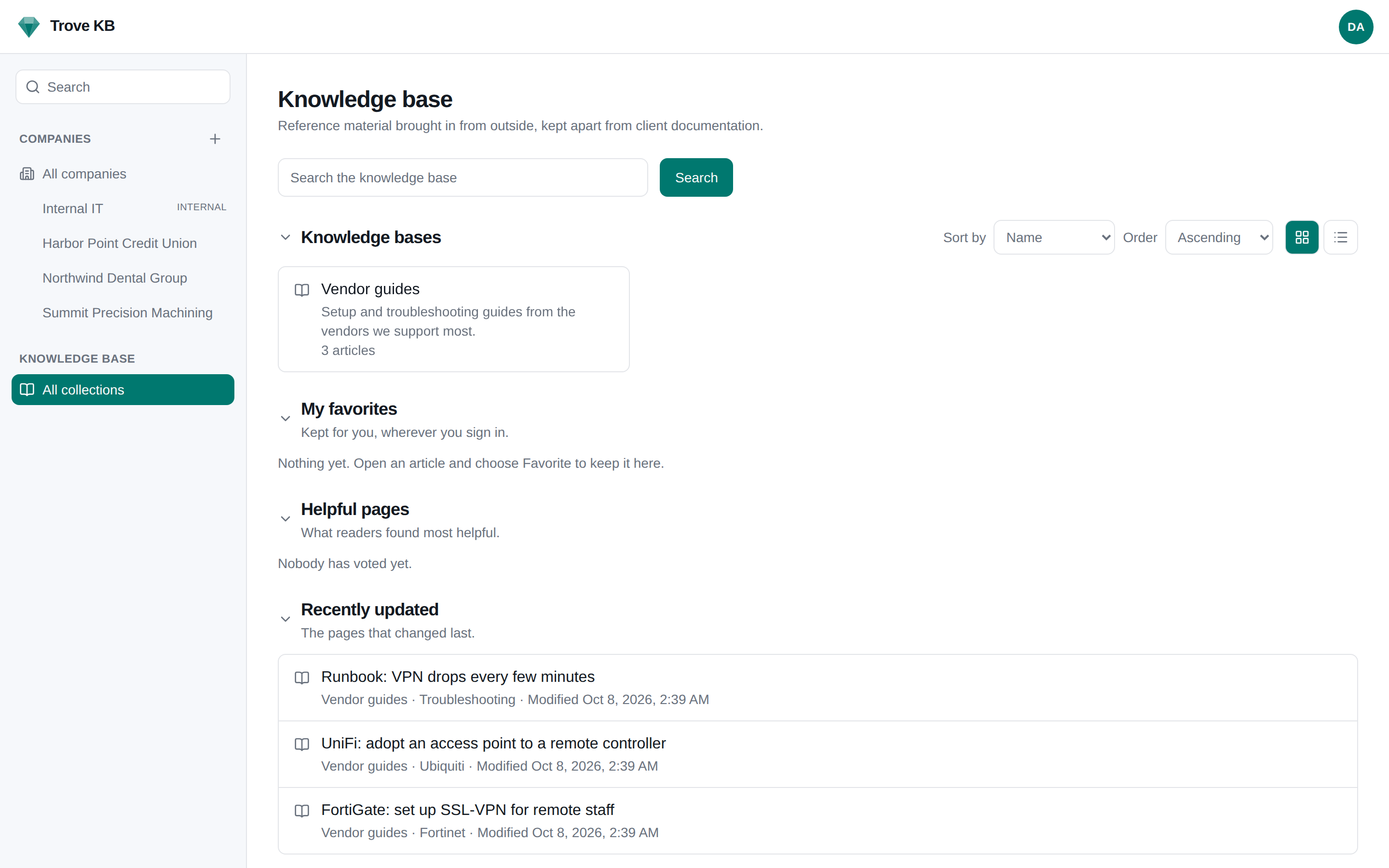
- →An embedded video plays in the article. Pictures are kept by their address.
A vendor's help site read by its own structure. Categories come from the breadcrumb or section.
A website by sitemap or from a starting page, on a schedule, so the manual updates when the vendor's does.
An export of another system's articles, a wiki dump, a folder of Markdown, with images/ and files/ coming along as attachments.
Manuals and documents linked from articles are kept and offered; their text is searchable.
By administrators, or by anyone granted a collection by name. Markdown, with the same tidy applied.
An assistant working in a code repository keeps that product's own documentation current through upsert_kb_article.
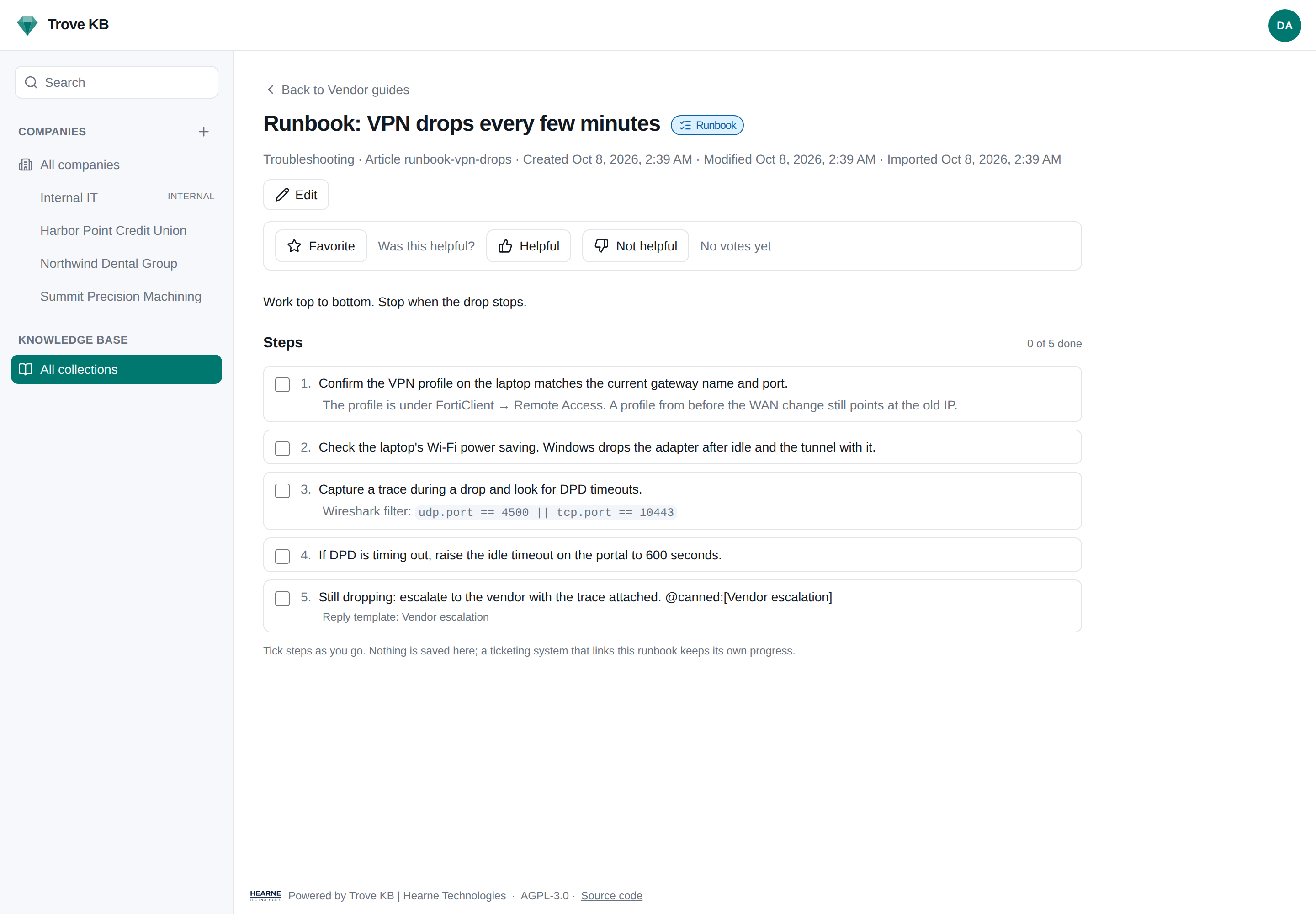
Steps with stable ids.
A runbook is an article whose lists are a procedure. Every step carries an id written into the body: write it yourself as {#reseat-ram}, or let Trove KB mint one on first save. A ticketing system that links the runbook keeps per-ticket progress by step on its own side. Trove KB stores none of that progress, so the runbook stays a document and the ticket stays a ticket.
Whatever is nested under a step comes along as its note. A @canned:[Name] token names a canned response for the system on the other end.
{ "id": "confirm-profile", "text": "Confirm the VPN profile" },
{ "id": "capture-trace", "text": "Capture a TCP trace",
"note": "Wireshark filter: tcp.port == 443" },
{ "id": "escalate", "text": "Escalate to the vendor",
"canned": "Vendor escalation" }
]
Publish the collections you choose.
The end-user how-tos, the printer setup guide, the password reset walkthrough: on a hostname of its own, with search, favorites, and votes, and with everything else kept off it.
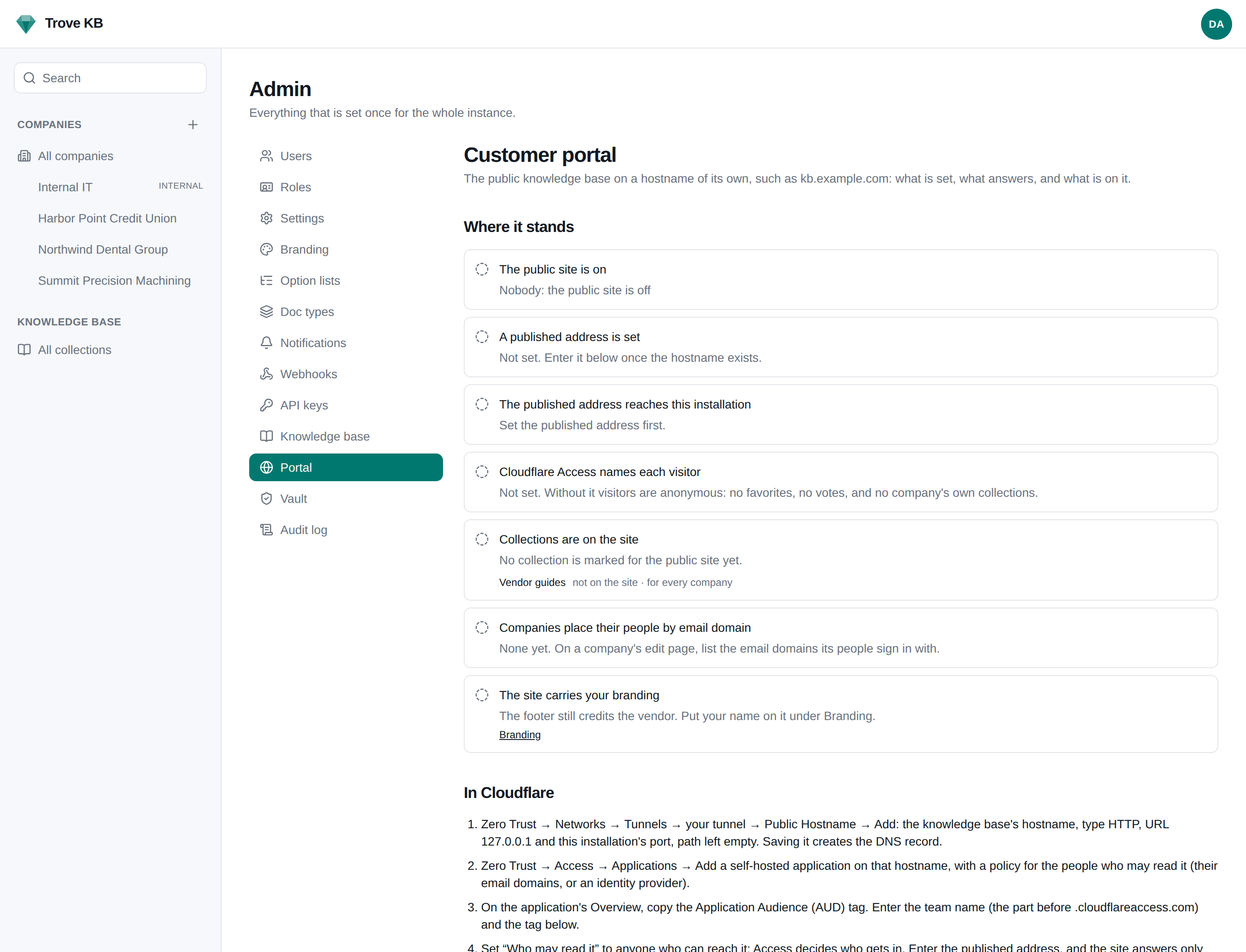
A hostname of its own, such as kb.yourdomain.com, with a proxy that passes /pub/kb and nothing else. Sign-in, admin, and the API are not reachable through it.
Each collection has "Show on the public site", off by default. Any article can be held back from its own page.
Phrases or regular expressions by title, category, or file type keep internal-only material off the site, and apply to what arrives later.
Anyone who can reach it, or only visitors from listed addresses. Pair it with a Cloudflare Access Bypass policy for the same ranges.
Favorites and "was this helpful" votes. Behind Cloudflare Access, Trove KB knows the reader by a hash from the Access token, with no account of its own.
Give a company its sign-in email domains and a visitor Access names from one of them is placed with that company: they see the collections for everyone plus the ones kept to theirs, with their company's logo in the corner. Nothing of the visitor is stored.
The public site can carry your own name on the credit, Powered by Trove KB | Your MSP, in front of your customers. Admin → Portal is the setup page: what is set, whether the address answers, whether Access has verified a token, which collections are on the site and for whom, with the Cloudflare steps inline.
Grants by name
A person or an API key is granted a collection to read it, and with write to change it, whatever companies it is kept to. Administrators need no grant. Every change is in the audit log.
Over the API
List, search, read in full with steps, upsert and archive under an external id, and subscribe to kb.article.upserted and kb.article.archived webhooks. Integrations →
Over MCP
search_kb returns the passage that matched; get_kb_article reads in chunks. A key granted write on a collection also gets upsert and archive, and only there.
Ready to document something?
One compose file, no required services beyond Postgres. Read the docs, or take the next feature for a spin.