The rack draws itself.
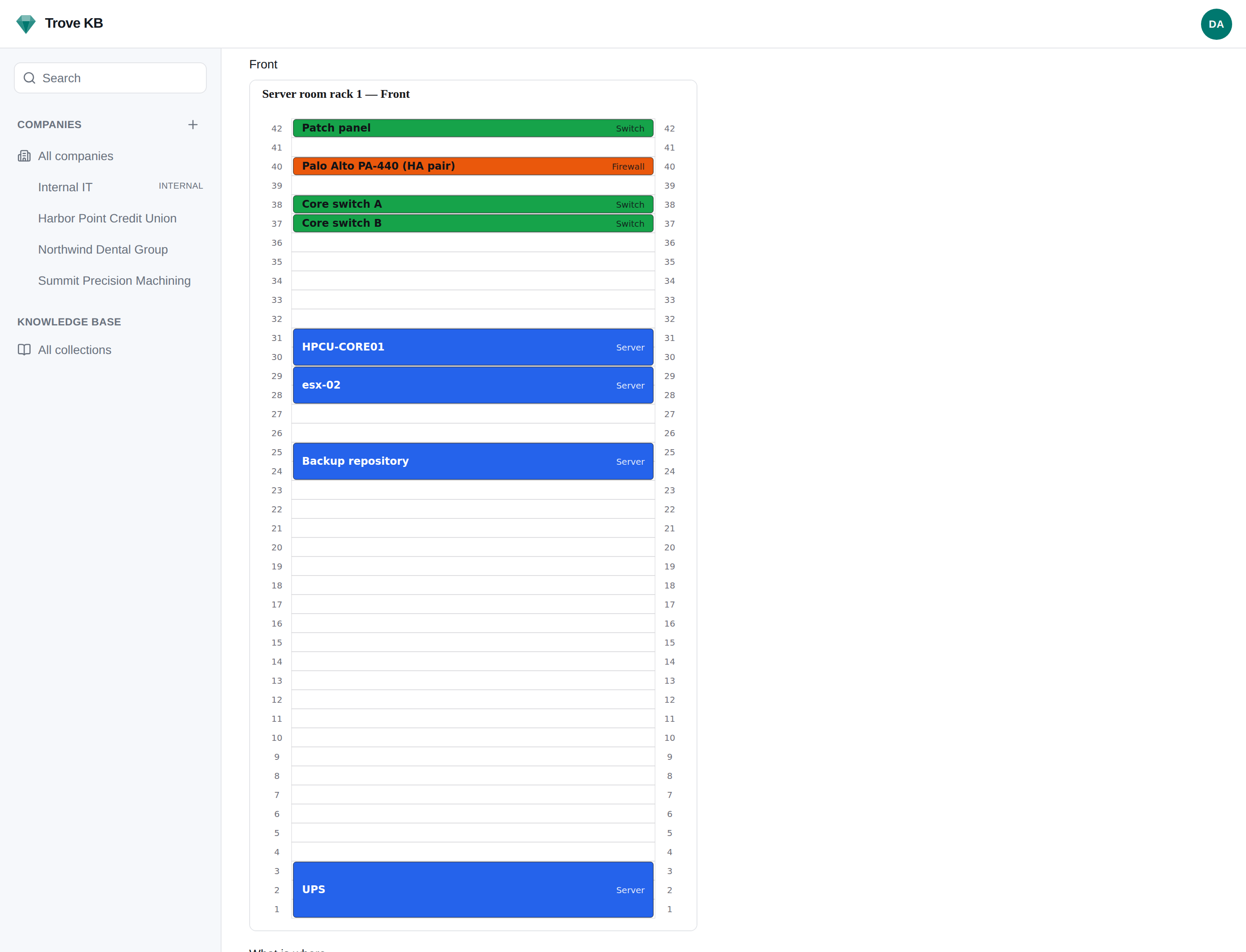
A Rack is a doc type like any other, with one extra: an elevation drawn from what is mounted in it. No Visio, no screenshot that was accurate in 2021. The picture is the documentation, and the documentation is the picture.
Mount what you documented
Drop an existing Switch or Server document into a unit, or a plain label for the patch panel nobody will ever write up. The elevation links to the document; the document says where it is racked.
Both faces, printable
Tell the rack how many units it has, whether the back is used, and which way its rails are numbered. You get a printable SVG for each face and a list of what is where.
Color by kind, overridable per client
Set a color for each kind of equipment once, for every client. Let a client override it where their own conventions differ; the key says which colors are overrides and what the default was.
It tells you when it is wrong
Two colors too close to tell apart in print, judged in Oklab. An override landing on a color already used in that rack. Two things claiming the same unit.
Room text
Power text
Notes markdown
+ units, rear face, rail numbering, mounts
Document the closet once.
Mount the documents you already have and print the elevation for the door.